

Coming soon · for guitarists
Rehearse with the band.
Practice on your own.
Guitardeck is Drumdeck for guitarists: your part in notation and tab, in time with the band at rehearsal – and a practice room with the song’s parts, scales in its key and every strumming pattern for its chords. One app, two jobs.
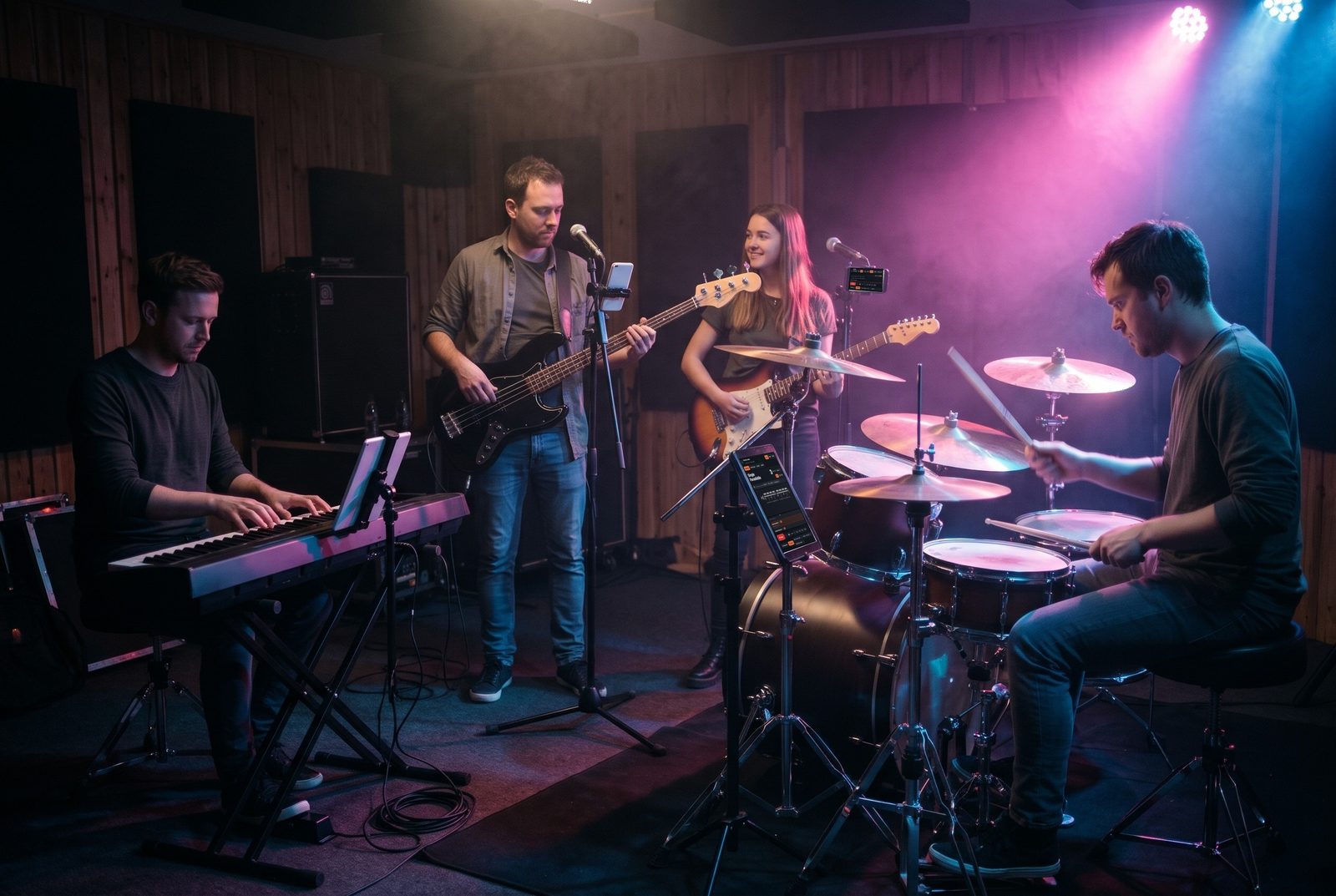
Guitarist in a dark rehearsal room playing from a tablet with Drumdeck
Your part, in time with the band.
Your own guitar chart on your phone or tablet, the bar you’re in, the section coming up – locked to the drummer’s count-in. No account needed.
How rehearsal works → Practice on your ownA practice room built from your songs.
Practice the parts of your songs on your own: scales in the song’s key, chords and patterns, rhythm drills, a full metronome – and check it off when it sits.
The practice room →Rehearsal · your part, live
Your chart, following the band.
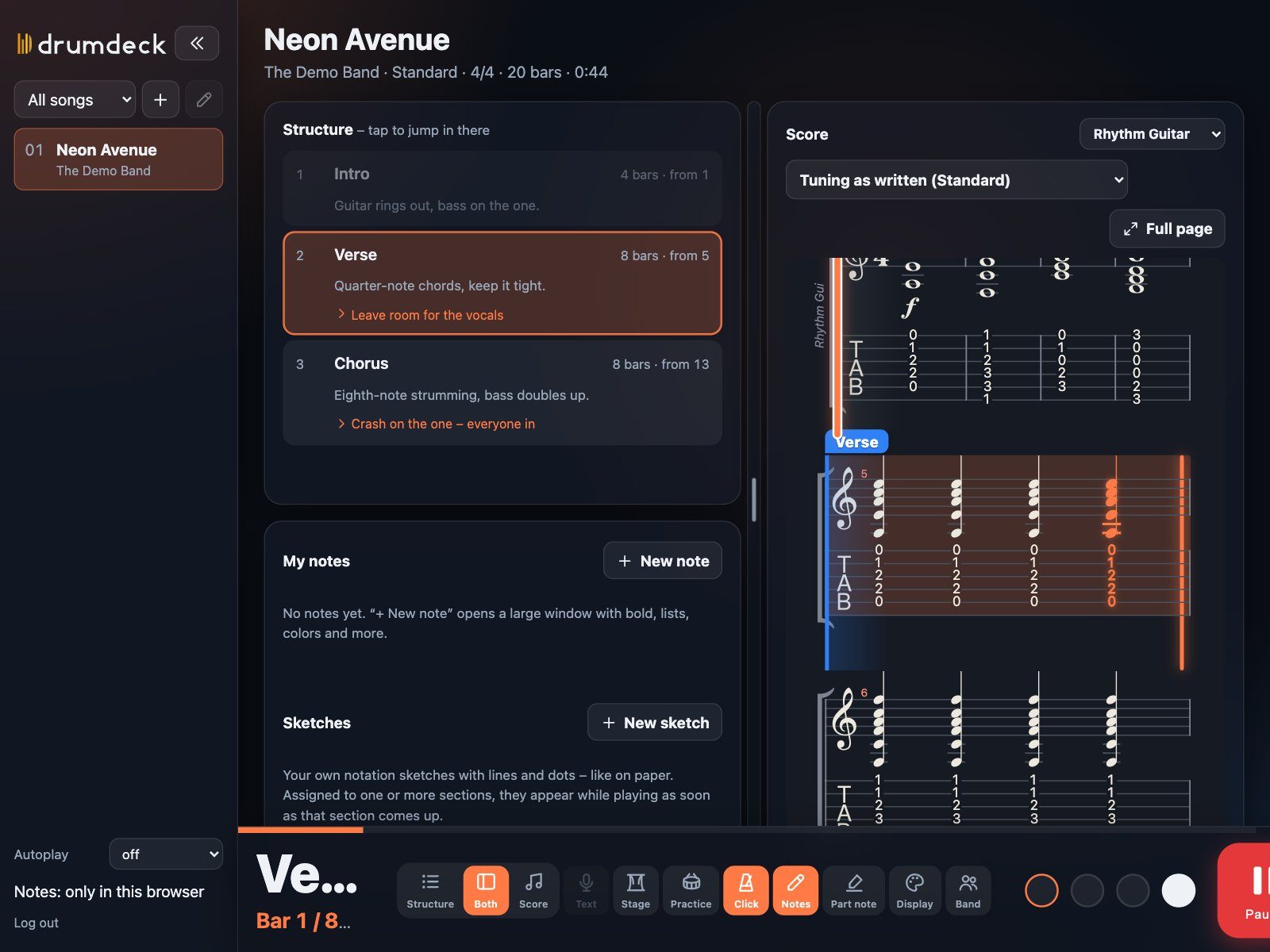
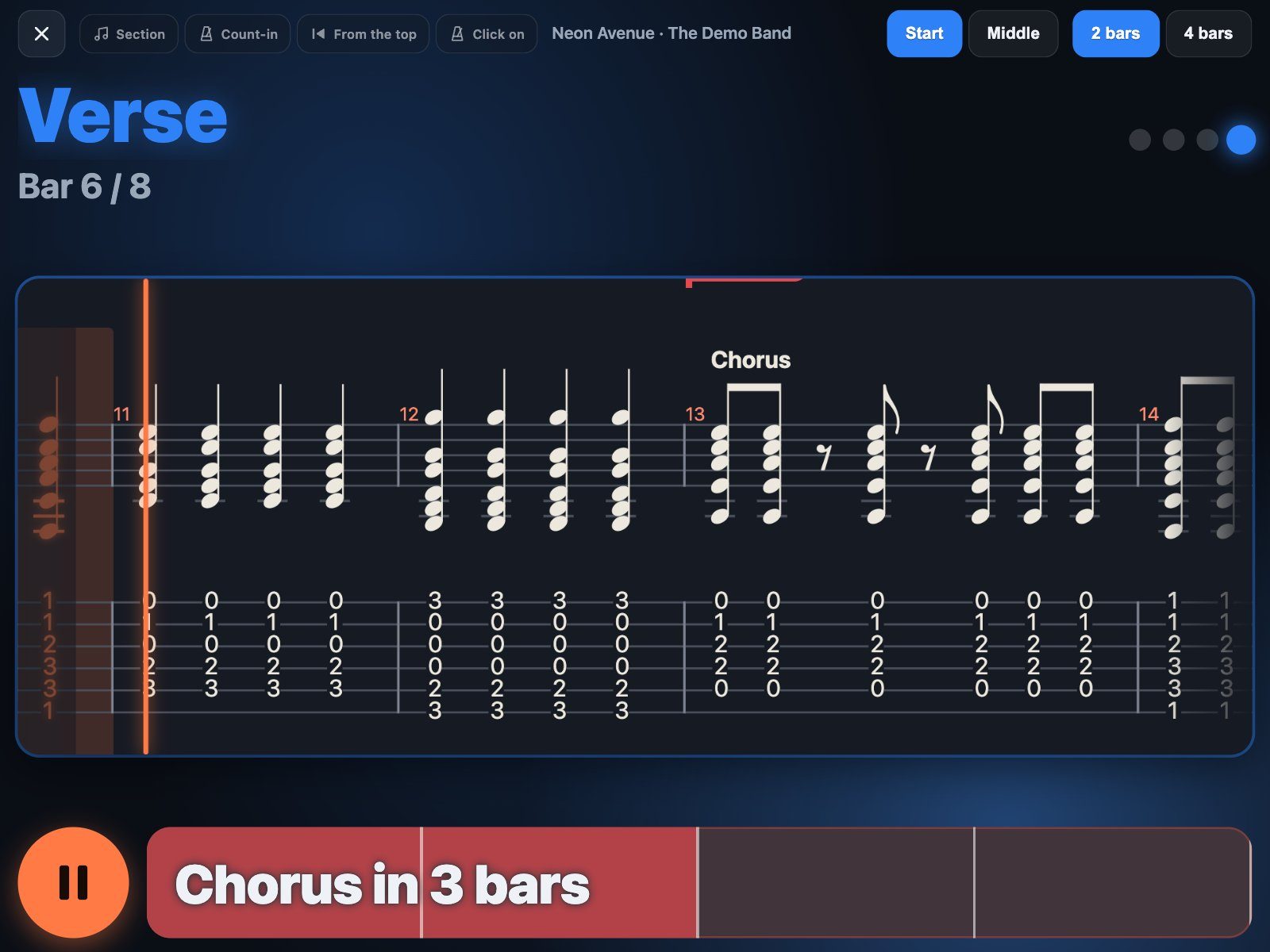
Bring the Guitar Pro file of the song and pick your guitar part. Drumdeck shows notation and tab together, highlights the bar you’re in and shows the whole song map next to it – intro, verse, chorus – with your notes for every section.
- Notation and tab – the bar you’re playing lights up, the page follows by itself.
- Song map – tap a section and you jump right there: “back in at chorus 2”.
- Your notes per section – “capo off before the bridge”, “let it ring”.
- Pick any part – rhythm, lead or solo guitar from the same file.
Tap any note
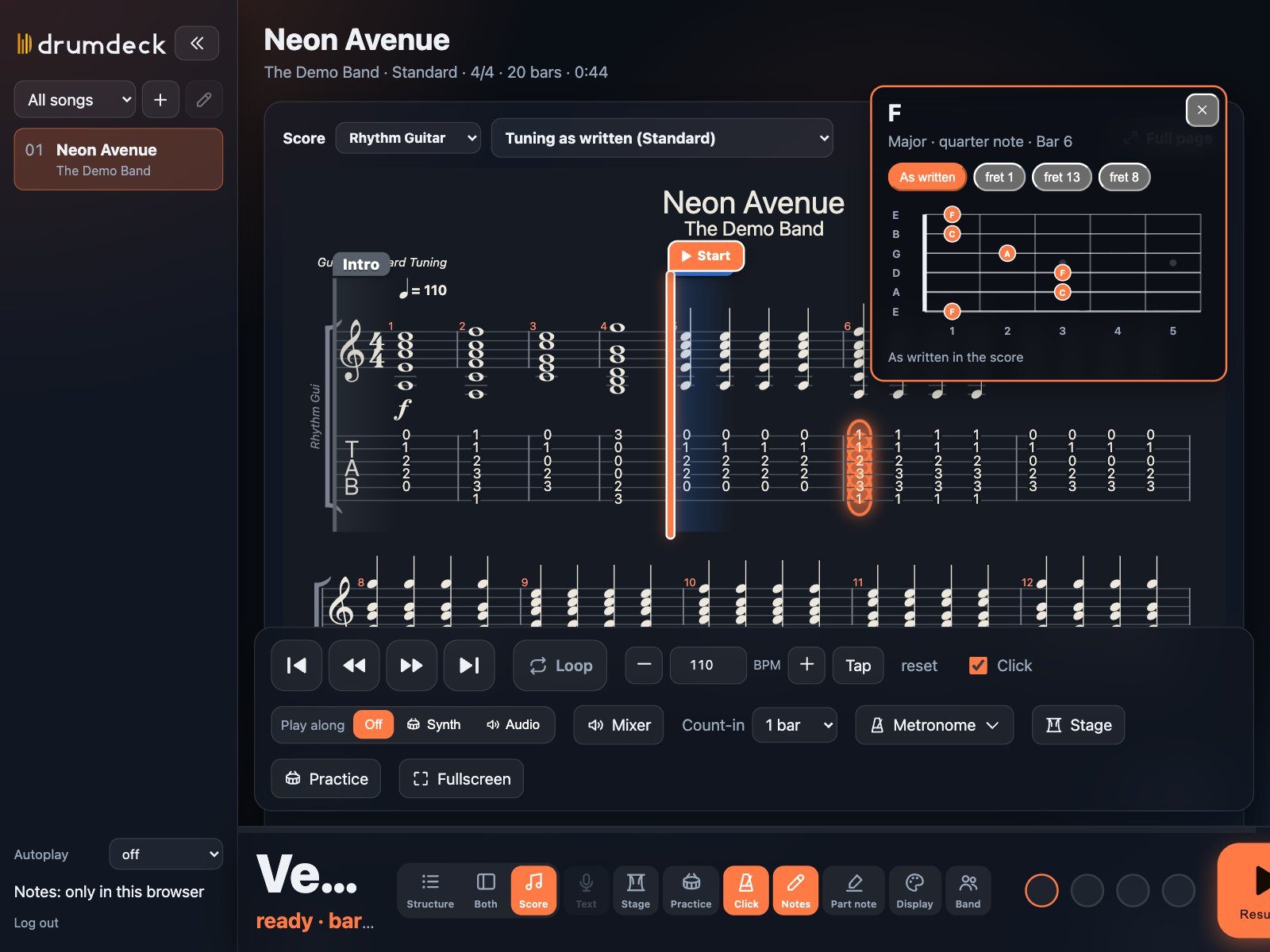
What’s that chord? Tap it.
Tap a note or a chord in the chart and Drumdeck tells you what it is – with a fretboard diagram of how it’s played, and other places on the neck where you could play it.
- Chord names – “F, major” instead of guessing from six fret numbers.
- Fretboard diagram – as written in the chart, plus other positions (fret 1, 8, 13 …).
Band session
Everyone sees their own part.
The drummer starts a band session and holds up a QR code. You scan it with your phone camera – no account, no app store – pick your name and your instrument, and your phone shows your guitar part, in the same bar as everyone else.
- Your own mix – turn the click up, the other instruments down. Nobody else hears it.
- Your tuning – the tab is rewritten for the tuning you actually play, same pitch.
- Key changes – when the band plays a song lower or higher, you get the hint: capo or retune.
- Locked to one count-in – devices stay within a few milliseconds of each other.
Play along
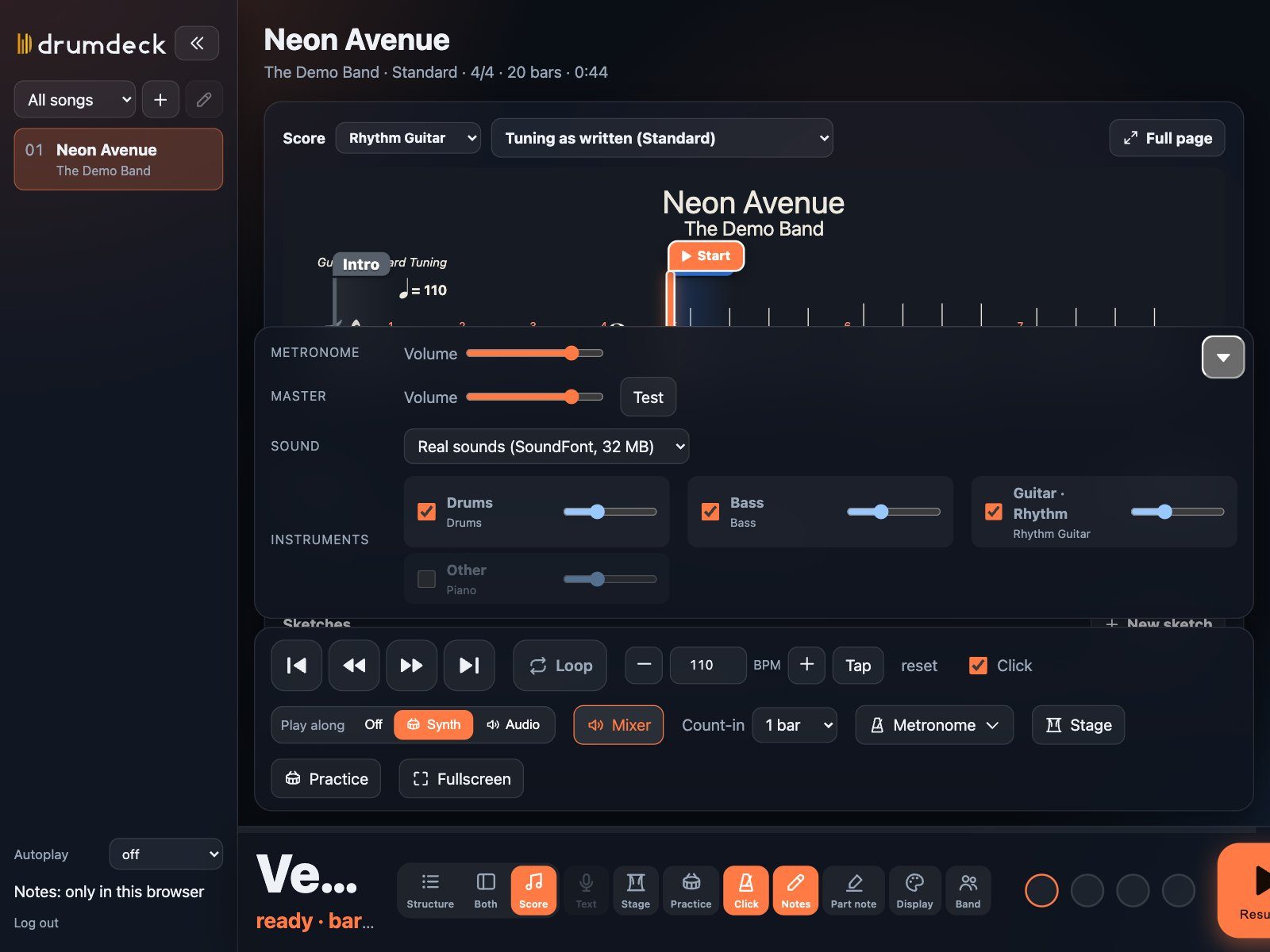
Your recording, locked to the chart. Or mute your part.
Add the MP3, M4A or WAV of the song you own: Drumdeck finds the beat and lines the recording up with the chart, bar by bar. No recording? The built-in synth plays the chart – and you switch your own guitar off.
- Slow it down without changing the pitch – learn the fast parts at 70 %.
- Loop any bars – drag across the chart with your finger, hit play.
- Mixer per instrument – drums, bass, keys on, your guitar off.
Rehearsal & stage
Built for the moment the band is playing.
Stage mode turns your tablet into a single scrolling line of your part, with the section name in huge letters and a bar counting down to the next part.
- Setlists – tonight’s songs in order; the next one is ready when the last one ends.
- Foot switch – start, stop and next song without taking your hands off the guitar.
- Lyrics line – the current line of the vocals runs along at the bottom.
- Works offline – rehearsal rooms without signal are no problem.
Practice on your own
The practice room – built from your songs.
Open it from any song and choose guitar. Everything runs on the same clock as the click, with the metronome set exactly the way you want.
Practice room · from your song
The song’s parts, and the skills behind them.
Drumdeck reads the key, the chords and the guitar part of the song and builds your exercises from it.
- Parts of the song – each section in the original notation and tab, at your tempo, looped.
- Scales in the song’s key – pentatonic, major, minor, blues; eighths, triplets, thirds, groups of four.
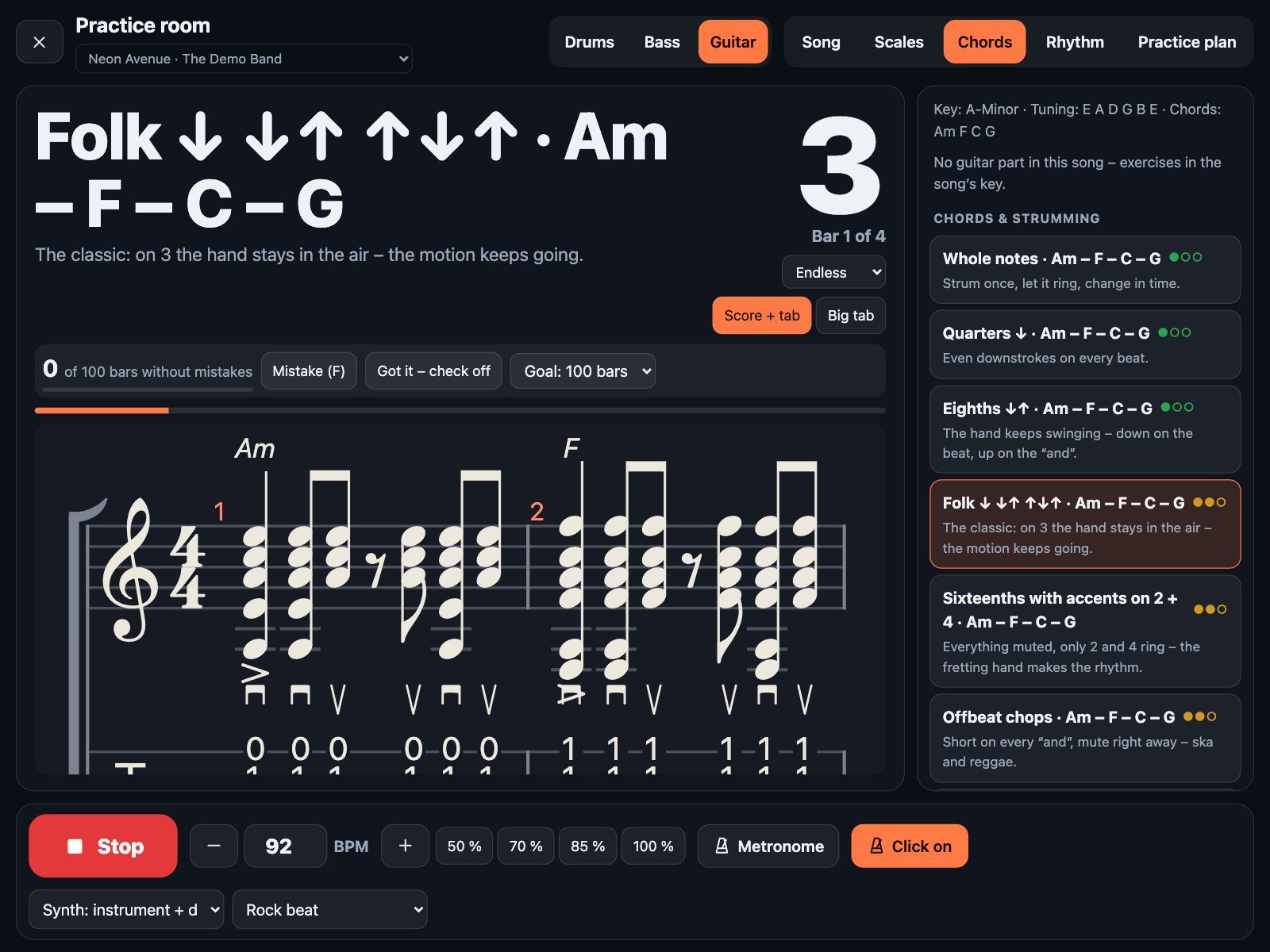
- Chords & strumming – the song’s progression with whole notes, folk, funk sixteenths, offbeat chops, shuffle, power chords.
- Rhythm & timing – muted sixteenths, palm-mute gallop, offbeats, subdivision ladder.
- Check it off – play it 25 times, answer “without mistakes?”, and mark the hard notes so they pulse when they come.
Practice room · big tab
Readable from across the room.
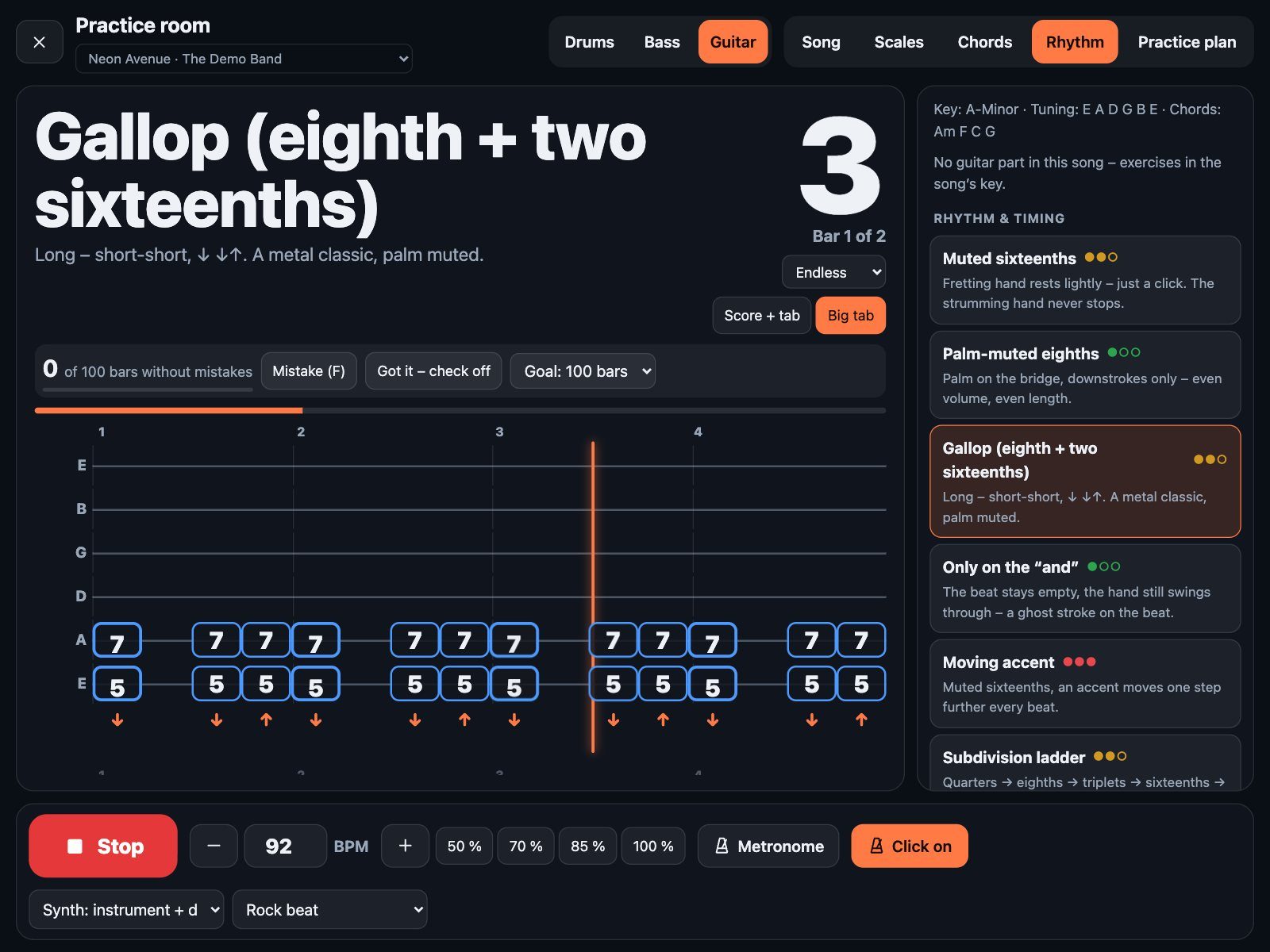
Switch to the big tab view: six strings, fret numbers in large boxes, fingers or strokes underneath and a glowing playhead – plus drums along: a rock beat, a hi-hat pattern or the real drum part of the song.
- Practice plans – several exercises in a row, the next one announced a bar early.
- Metronome – accents on every subdivision, click gaps, speed trainer; tap ±1, hold ±10 BPM.
- Synth on or off – hear it first, then play it yourself.
Questions
Is Guitardeck a different app?
No – it’s Drumdeck, one app for the whole band. Guitarists pick their part at rehearsal and choose guitar in the practice room.
Where do the guitar parts come from?
From your own Guitar Pro files – bought, transcribed yourself or from your band. Drumdeck doesn’t sell or share charts.
Do I need an account for the band session?
No. The drummer starts the session, you scan the QR code with your phone and you’re in – with your own part and your own mix.
Does it listen to my guitar?
No. Nothing is recorded. You decide when an exercise sits, or count mistakes with one tap.
Acoustic, electric, ukulele?
All of them. The band session also knows western, classical guitar and ukulele (chord diagrams in GCEA); the practice room uses the tuning of your song.
Want to try Guitardeck?
We’re testing it in real rehearsal rooms right now. Join the waitlist and you’ll be among the first to get access.
Join the waitlistScreenshots with a made-up demo song.